
Home Index Book Sheet Format Font AutoFilter FilterColumn RichString FormControl
ConditionalFormatting ConditionalFormat CoreProperties Table Examples
ConditionalFormatting ConditionalFormat CoreProperties Table Examples
Book class reference
-
bool load(const wchar_t* filename, const wchar_t* tempFile = 0)
Loads an entire file into memory. Specify a temporary file for reducing memory consumption. Returns false if error occurs. Get an error info with the Book::errorMessage(). -
bool loadSheet(const wchar_t* filename, int sheetIndex, const wchar_t* tempFile = 0, bool keepAllSheets = false)
Loads a file only with specified sheet index into memory. Specify a temporary file for reducing memory consumption. If keepAllSheets is true, all not specified sheets will be saved back, but it decreases a memory consumption, otherwise only the specified sheet will be saved (other sheets will be removed). Returns false if error occurs. Get an error info with the Book::errorMessage(). -
bool loadPartially(const wchar_t* filename, int sheetIndex, int firstRow, int lastRow, const wchar_t* tempFile = 0, bool keepAllSheets = false)
Loads a file only with the specified sheet index and row range into memory. Specify a temporary file for reducing memory consumption. If keepAllSheets is true, all not specified sheets will be saved back, but it decreases a memory consumption, otherwise only the specified sheet will be saved (other sheets will be removed). Returns false if error occurs. Get an error info with the Book::errorMessage(). -
bool save(const wchar_t* filename, bool useTempFile = false)
Saves current workbook into the file. Use a temporary file for reducing memory consumption. Returns false if error occurs. Get an error info with the Book::errorMessage(). -
bool loadWithoutEmptyCells(const wchar_t* filename)
Loads a file without empty cells with formatting information for reducing memory consumption. -
bool loadInfo(const wchar_t* filename)
Loads only information about sheets. Afterwards you can call Book::sheetCount() and Book::getSheetName() methods. Returns false if error occurs. Get an error info with the Book::errorMessage(). -
bool loadRaw(const char* data, unsigned size, int sheetIndex = -1, int firstRow = -1, int lastRow = -1, bool keepAllSheets = false)
Loads a file from user's memory buffer. Parameters:
data - pointer to buffer;
size - size of data in buffer;
sheetIndex - loads a file only with specified sheet index, -1 loads all sheets;
firstRow - the first row of loaded range, -1 loads all rows until lastRow;
lastRow - the last row of loaded range, -1 loads all rows after firstRow;
keepAllSheets - if true, all not specified sheets will be saved back but it decreases a memory consumption, if false, only the specified sheet will be saved (other sheets will be removed).
Returns false if error occurs. Get an error info with the Book::errorMessage(). -
bool loadInfoRaw(const char* data, unsigned size)
Loads only information about sheets from user's memory buffer. Afterwards you can call Book::sheetCount() and Book::getSheetName() methods. Parameters:
data - pointer to buffer;
size - size of data in buffer.
Returns false if error occurs. Get an error info with the Book::errorMessage(). -
bool saveRaw(const char** data, unsigned* size)
Saves a file to internal memory buffer. Parameters:
data - pointer to buffer;
size - pointer to saved size.
The memory buffer will be released along with the Book::release() automatically. It doesn't need to be released manually. Returns false if error occurs. Get an error info with the Book::errorMessage(). -
void setPassword(const wchar_t* password)
Sets a password for an encrypted workbook. The password must be set before loading a workbook. LibXL supports only xlsx files with ECMA-376 standard and agile encryptions with SHA-1 and SHA-512 hashing algorithms. -
Sheet* addSheet(const wchar_t* name, Sheet* initSheet = 0)
Adds a new sheet to this book, returns the sheet pointer. Use initSheet parameter if you wish to copy an existing sheet. Note initSheet must be only from this book. You can't use the following characters in sheet names:
- colon (:)
- backslash (\)
- asterisk (*)
- question mark (?)
- forward slash (/)
- opening square bracket ([)
- closing square bracket (])
The sheet name must not begin or end with the single quote (') character. Returns NULL if error occurs. Get an error info with the Book::errorMessage(). -
Sheet* insertSheet(int index, const wchar_t* name, Sheet* initSheet = 0)
Inserts a new sheet to this book at position index, returns the sheet pointer. Use initSheet parameter if you wish to copy an existing sheet. Note initSheet must be only from this book. Returns NULL if error occurs. Get an error info with the Book::errorMessage(). -
Sheet* getSheet(int index) const
Gets a pointer to the sheet with the specified index. Use the index 0 if used the Book::loadSheet() or Book::loadPartially() methods. Should be less than a return value of the Book::sheetCount() method. Returns NULL if error occurs. Get an error info with the Book::errorMessage(). -
const wchar_t* getSheetName(int index) const
Returns a sheet name with the specified index. Returns NULL if error occurs. Get an error info with the Book::errorMessage(). -
SheetType sheetType(int index) const
Returns a type of sheet with the specified index.SheetType value Description SHEETTYPE_SHEET standard sheet SHEETTYPE_CHART chart sheet SHEETTYPE_UNKNOWN unknown sheet -
bool moveSheet(int srcIndex, int dstIndex)
Takes a sheet with srcIndex and insert it in front of a sheet with dstIndex. Returns false if error occurs. Get an error info with the Book::errorMessage(). -
bool delSheet(int index)
Deletes a sheet with the specified index. Returns false if error occurs. Get an error info with the Book::errorMessage(). -
int sheetCount() const
Returns a number of sheets in this book. -
Format* addFormat(Format* initFormat = 0)
-
Format* addFormatFromStyle(CellStyle style)
Adds a new format to the workbook from the predefined style. Please note that after loading a file it will be removed. The workbook can't have more than 65429 formats. Returns NULL if error occurs.CellStyle value View CELLSTYLE_NORMAL 
CELLSTYLE_BAD 
CELLSTYLE_GOOD 
CELLSTYLE_NEUTRAL 
CELLSTYLE_CALC 
CELLSTYLE_CHECKCELL 
CELLSTYLE_EXPLANATORY 
CELLSTYLE_INPUT 
CELLSTYLE_OUTPUT 
CELLSTYLE_HYPERLINK 
CELLSTYLE_LINKEDCELL 
CELLSTYLE_NOTE 
CELLSTYLE_WARNING 
CELLSTYLE_TITLE 
CELLSTYLE_HEADING1 
CELLSTYLE_HEADING2 
CELLSTYLE_HEADING3 
CELLSTYLE_HEADING4 
CELLSTYLE_TOTAL 
CELLSTYLE_20ACCENT1 
CELLSTYLE_40ACCENT1 
CELLSTYLE_60ACCENT1 
CELLSTYLE_ACCENT1 
CELLSTYLE_20ACCENT2 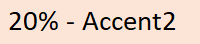
CELLSTYLE_40ACCENT2 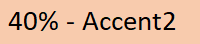
CELLSTYLE_60ACCENT2 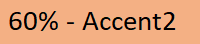
CELLSTYLE_ACCENT2 
CELLSTYLE_20ACCENT3 
CELLSTYLE_40ACCENT3 
CELLSTYLE_60ACCENT3 
CELLSTYLE_ACCENT3 
CELLSTYLE_20ACCENT4 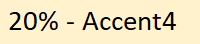
CELLSTYLE_40ACCENT4 
CELLSTYLE_60ACCENT4 
CELLSTYLE_ACCENT4 
CELLSTYLE_20ACCENT5 
CELLSTYLE_40ACCENT5 
CELLSTYLE_60ACCENT5 
CELLSTYLE_ACCENT5 
CELLSTYLE_20ACCENT6 
CELLSTYLE_40ACCENT6 
CELLSTYLE_60ACCENT6 
CELLSTYLE_ACCENT6 
CELLSTYLE_COMMA Comma CELLSTYLE_COMMA0 Comma [0] CELLSTYLE_CURRENCY Currency CELLSTYLE_CURRENCY0 Currency [0] CELLSTYLE_PERCENT Percent -
Font* addFont(Font* initFont = 0)
-
RichString* addRichString()
Adds a new rich string to the workbook for using different fonts in a single cell with the Sheet::writeRichStr() method. Don't release a return pointer manually. -
int addCustomNumFormat(const wchar_t* customNumFormat)
Adds a new custom number format to the workbook. The format string customNumFormat indicates how to format and render the numeric value of a cell. See custom format strings guidelines. Returns the custom format identifier. It's used in Format::setNumFormat(). Returns 0 if error occurs. Get an error info with the Book::errorMessage(). -
const wchar_t* customNumFormat(int fmt) const
Returns a custom format string for specified custom format identifier fmt. See custom format string guidelines. Returns NULL if error occurs. Get an error info with the Book::errorMessage(). -
Format* format(int index)
Returns a format with defined index. Index must be less than return value of formatSize() method. -
int formatSize()
Returns a number of formats in this book. -
Font* font(int index)
Returns a font with defined index. Index must be less than return value of fontSize() method. -
int fontSize()
Returns a number of fonts in this book. -
ConditionalFormat* addConditionalFormat()
Adds a new conditional format to the workbook for using with conditional formatting rules (only for xlsx files). -
ConditionalFormat* conditionalFormat(int index)
Returns a conditional format with defined index. Index must be less than return value of conditionalFormatSize() method. -
int conditionalFormatSize()
Returns a number of conditional formats in this book. -
double datePack(int year, int month, int day,
int hour = 0, int min = 0, int sec = 0, int msec = 0)
Packs date and time information into double type. -
bool dateUnpack(double value,
int* year, int* month, int* day,
int* hour = 0, int* min = 0, int* sec = 0, int* msec = 0)
Unpacks date and time information from double type. Returns false if error occurs. -
Color colorPack(int red, int green, int blue)
Packs red, green and blue components in color type. -
void colorUnpack(Color color, int* red, int* green, int* blue)
Unpacks color type to red, green and blue components. -
int activeSheet() const
Returns an active sheet index in this workbook. -
void setActiveSheet(int index)
Sets an active sheet index in this workbook. -
int pictureSize() const
Returns a number of pictures in this workbook. -
PictureType getPicture(int index, const char** data, unsigned* size) const
Returns a picture at position index in memory buffer. Parameters:
index - position in the workbook;
data - reference to buffer;
size - reference to saved size.
Returns type of picture:PictureType value Description PICTURETYPE_PNG PNG format PICTURETYPE_JPEG JPEG format PICTURETYPE_GIF GIF format PICTURETYPE_WMF WMF format PICTURETYPE_DIB DIB format PICTURETYPE_EMF EMF format PICTURETYPE_TIFF TIFF format PICTURETYPE_ERROR Get an error info with the Book::errorMessage() -
int addPicture(const wchar_t* filename)
Adds a picture to the workbook. Returns a picture identifier. Supports BMP, DIB, PNG, JPG and WMF picture formats. Use picture identifier with Sheet::setPicture(). Returns -1 if error occurs. Get an error info with the Book::errorMessage(). -
int addPicture2(const char* data, unsigned size)
Adds a picture to the workbook from memory buffer:
data - pointer to buffer with picture data (BMP, DIB, PNG, JPG or WMF formats);
size - size of data in buffer.
Returns a picture identifier. Use picture identifier with Sheet::setPicture(). Returns -1 if error occurs. Get an error info with the Book::errorMessage(). -
int addPictureAsLink(const wchar_t* filename, bool insert = false)
Adds a picture to the workbook as link (only for xlsx files):
insert = false - stores only a link to file;
insert = true - stores a picture and a link to file.
Returns a picture identifier. Supports BMP, DIB, PNG, JPG and WMF picture formats. Use picture identifier with Sheet::setPicture(). Returns -1 if error occurs. Get an error info with the Book::errorMessage(). -
const wchar_t* defaultFont(int* fontSize)
Returns a default font name and size for this workbook. Returns 0 if error occurs. Get an error info with the Book::errorMessage(). -
void setDefaultFont(const wchar_t* fontName, int fontSize)
Sets a default font name and size for this workbook. -
bool refR1C1() const
Returns whether the R1C1 reference mode is active. -
void setRefR1C1(bool refR1C1 = true)
Sets the R1C1 reference mode. -
bool rgbMode()
Returns whether the RGB mode is active. -
void setRgbMode(bool rgbMode = true)
Sets a RGB mode: true - RGB mode, false - Index mode (default). In RGB mode use colorPack() and colorUnpack() methods for getting/setting colors. -
CalcModeType calcMode() const
Returns the calculation mode of workbook. -
void setCalcMode(CalcModeType calcMode)
Sets the calculation mode of workbook:CalcModeType value Description CALCMODE_MANUAL manual calculation CALCMODE_AUTO automatic calculation CALCMODE_AUTONOTABLE automatic except for data tables -
int version() const
Returns the version of the used LibXL library in hexadecimal numeral system. -
int biffVersion() const
Returns BIFF version of binary file. Used for xls format only. -
bool isDate1904() const
Returns whether the 1904 date system is active. -
void setDate1904(bool date1904 = true)
Sets the date system mode: true - 1904 date system, false - 1900 date system (default).
In the 1900 date base system, the lower limit is January 1, 1900, which has serial value 1.
In the 1904 date base system, the lower limit is January 1, 1904, which has serial value 0. -
bool isTemplate() const
Returns whether the workbook is template. -
void setTemplate(bool tmpl = true)
Sets the template flag: true - workbook is template, false - workbook is not template (default).
It allows to change type of file from a template file (xlt and xltx) to a regular file (xls and xlsx) and vice versa. -
bool isWriteProtected() const
Returns whether the workbook is marked as read-only. -
CoreProperties* coreProperties()
Returns workbook properties. -
bool removeVBA()
Removes all VBA scripts (macros) from the workbook. It should be called after loading xlsm or xlsb files. Returns true if VBA scripts were found and removed. -
bool removePrinterSettings()
Removes all printer settings from the workbook. It should be called after loading an Excel file. Returns true if printer settings were found and removed. -
void removeAllPhonetics()
Removes all phonetics data (furigana) from a workbook. -
void clear()
Removes all data from a workbook. -
void setKey(const wchar_t* name, const wchar_t* key)
Sets customer's license key. -
bool setLocale(const char* locale)
Sets the locale for this library.
The locale argument is the same as the locale argument in setlocale() function from C Run-Time Library.
For example, value "en_US.UTF-8" allows to use non-ascii characters in Linux or Mac.
It accepts the special value "UTF-8" for using UTF-8 character encoding in Windows and other operating systems.
It has no effect for unicode projects with wide strings (with _UNICODE preprocessor variable).
Returns true if a valid locale argument is given. -
const char* errorMessage() const
Returns the last error message. -
ErrorCode errorCode() const
Returns the last error code.ErrorCode value Description ERRCODE_OK Everything was fine. ERRCODE_INCORRECTPASSWORD Incorrect password for encrypted workbook. ERRCODE_ROWOUTOFRANGE Row is out of range. ERRCODE_COLOUTOFRANGE Column is out of range. ERRCODE_INDEXOUTOFRANGE Index is out of range. ERRCODE_INDEXNOSENSE Indexes are meaningless for this function. ERRCODE_LASTSHEET Workbook must contain at least one visible worksheet. ERRCODE_SHEETNOTFOUND Sheet is not found. ERRCODE_NAMECUTOFF Name was truncated. ERRCODE_FORMULASYNTAXERROR Error in formula expression. ERRCODE_SHEETNAMEINVALID Sheet name has an invalid character. ERRCODE_FILENAMEINVALID File name can't be NULL. ERRCODE_NAMEALREADYEXIST Workbook already contains such a sheet name. ERRCODE_FILENOTAVAILABLE Can't open file or path is incorrect. ERRCODE_FILEFORMATNOTSUPPORTED File isn't an Excel file or it is not supported. ERRCODE_FUNCNOTSUPPORTEDFORXLS This function is not supported for xls files. ERRCODE_FUNCNOTSUPPORTEDFORXLSX This function is not supported for xlsx files. ERRCODE_LOADEDONLYINFO Only workbook information was loaded. ERRCODE_FONTSIZEOUTOFRANGE Font size is out of range. ERRCODE_NOFONTS Workbook doesn't have fonts. ERRCODE_STRINGTOOLONG String is too long. ERRCODE_STRINGNULL String is NULL. ERRCODE_AUTOFILTERNULL AutoFilter can't be NULL. ERRCODE_OUTLINELEVELEXCEEDED Exceeded outline level for groups. ERRCODE_LOCALEERROR Can't apply the specified locale. ERRCODE_XMLERROR Workbook is corrupted, error in XML. ERRCODE_BIFFRECERROR Workbook is corrupted, error in BIFF record. ERRCODE_IOERROR Can't read or write. ERRCODE_CONSISTENCYERROR Data inconsistency was found. ERRCODE_OUTOFMEMORY Not enough memory. ERRCODE_UNKNOWNSTYLE Unknown cell style. ERRCODE_FORMATNULL Format is NULL. ERRCODE_FORMATNOTFOUND Format is not found. ERRCODE_PARENTFORMATNOTFOUND Parent format is not found. ERRCODE_FONTNOTFOUND Font is not found. ERRCODE_TABLENOTFOUND Table is not found. ERRCODE_RICHSTRINGNOTFOUND Rich string is not found. ERRCODE_PROPNOTFOUND Property is not found. ERRCODE_UNKNOWNCHAR Found an unknown character that can't be processed. ERRCODE_CHARNOTALLOWED Some particular symbols are not allowed here. ERRCODE_CELLNOTFOUND Cell is not found. ERRCODE_CELLNOTMERGED Cell is not in merged cells. ERRCODE_CELLTYPEINCORRECT Cell doesn't contain the requested type. ERRCODE_HEIGHTTOOHIGH Height is too big. ERRCODE_PICERROR Picture is corrupted or it has unknown format. ERRCODE_PICPOSERROR Incorrect picture position. ERRCODE_PICNOTFOUND Picture is not found. ERRCODE_PICSIZEINCORRECT Incorrect picture size. ERRCODE_PICOFFSETEXCEED_XY Picture offset_x and offset_y exceed cell's size. ERRCODE_PICOFFSETEXCEED_Y Picture offset_y exceeds cell's height. ERRCODE_PICOFFSETEXCEED_X Picture offset_x exceeds cell's width. ERRCODE_NOFREECOLORINDEX There is no free color index for xls format. ERRCODE_COLORINVALID Color is invalid. ERRCODE_PRINTTITLESNOTFOUND Print titles are not found. ERRCODE_NAMEDRANGENOTFOUND Named range is not found. ERRCODE_NAMEDRANGESKIPPED Some parts of named range were skipped. ERRCODE_PAGEBREAKALREADYEXIST Page break already exists. ERRCODE_PAGEBREAKNOTFOUND Page break is not found. ERRCODE_PAGEBREAKLIMIT Number of page breaks exceeds the limit. ERRCODE_IGNOREDERRALREADYEXIST Ignored error already exists. ERRCODE_OVERLAP Range overlap was detected. ERRCODE_SHEETNOTSPLITTED Worksheet is not splitted. ERRCODE_DIRENTRYINCORRECTNAME Found an incorrect name in the directory entry inside xls file. ERRCODE_REFINVALID Reference has unrecognized format. ERRCODE_REFNOTFOUND Reference is not found. ERRCODE_DATEINVALID Date is not recognized. ERRCODE_XLSERROR XLS file is corrupted. ERRCODE_CONVERROR String conversion error, probably incorrect locale. ERRCODE_TOOMANYFORMATS Too many cell formats. ERRCODE_TOOMANYFONTS Too many fonts. ERRCODE_NOSTYLES Styles are not found. ERRCODE_NOID ID is not found. ERRCODE_FILTERCOLUMNNULL Filter column is NULL. ERRCODE_FILTERVALUENOTFOUND Filter value is not found. ERRCODE_FILTERNOTFOUND Filter is not found. ERRCODE_DATAVALIDNOTFOUND Data validations are not found. ERRCODE_ACTIVECELLNOTFOUND Active cell is not found. ERRCODE_HYPERLINKNOTFOUND Cell doesn't have a hyperlink. ERRCODE_SORTNOTFOUND Sorting in AutoFilter is not found. ERRCODE_CONTROLNOTFOUND Control is not found. ERRCODE_AUTOFITERROR Can't calculate the cell's width. ERRCODE_VALUEOUTOFRANGE Value is out of range. ERRCODE_ZIPERROR ZIP library error. ERRCODE_EXCEPTION STL exception error. ERRCODE_TRIALLIMIT Limitations of the trial version. -
void release()
Deletes this object and free resources.